FNF Arch Rhythm Game

rhythm game music
Developer: Special Ember Games
Published: 2025-06-17
Updated: 2026-06-12

Review

FNF: Arch but Everyone Takes Turn Singing is a well-crafted rhythm mod that brings together beloved characters in a cooperative singing challenge. The arrow-matching controls are responsive, and the song Arch is catchy. The turn-based format adds variety and encourages players to stay attentive. It is easy to pick up but offers enough difficulty to keep you practicing. The open-source nature means the community can build on it, adding replay value. A safe, enjoyable choice for music game fans of all ages.

About this game

Game Introduction

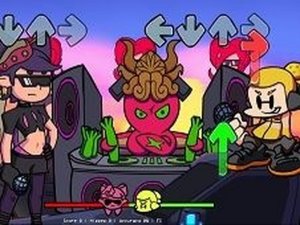
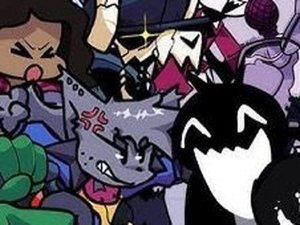
Welcome to FNF: Arch but Everyone Takes Turn Singing, a delightful rhythm game where you join your favorite FNF characters in a musical adventure. The game features the catchy song Arch, and each character takes a turn singing. Your goal is to match the arrow symbols that appear above your character by pressing the corresponding arrow keys on your keyboard. Stay in sync with the music and keep the performance going until the song ends. This open-source mod is created by talented developers including ninjamuffin99, PhantomArcade, Kawai Sprite, and modders like tommyinnitbiggestfan and NotHereCurrently, building on bbpanzu's original work. It is a safe, fun experience for all ages, perfect for fans of music games.

How to Play

To play, simply wait for your turn to sing. When arrow symbols appear above your character, press the matching arrow keys on your keyboard—up, down, left, or right. Keep pressing the correct keys in rhythm to continue the song. If you miss several keys in a row, you will lose the game, so stay focused. The game is easy to learn but offers a fun challenge as you try to keep up with the beat. No special equipment is needed, just your keyboard and a love for music.

Game Features

Sing with favorite FNF characters in a turn-based rhythm challenge. Enjoy the catchy song Arch with a fresh arrangement. Simple controls make it accessible for players of all skill levels. The open-source mod is regularly updated by the community.

Tips for Success

Practice matching arrow patterns to improve your rhythm. Focus on the beat of the music to anticipate when arrows appear. Start with easier difficulty settings if available to build confidence. Take short breaks if you find yourself missing notes frequently, as fatigue can affect performance. Listen carefully to the song to stay in sync with the turn-based singing.

Compatibility

💻 Desktop | 📱 Mobile | 📟 Tablet
– All supported · Best with Chrome or Safari

FAQ
Can I play this game on mobile devices?
The game is designed for keyboard controls, so it is best played on a computer. Some mobile browsers may support external keyboards, but the game is not optimized for touch screens. For the best experience, use a desktop or laptop with a keyboard.
Is this game free to play?
Yes, as an open-source mod, the game is typically free to play. You can access it through platforms like GameBanana or itch.io where mods are shared. There are no in-game purchases, making it accessible to everyone.
Do I need to download anything to play?
Some versions may be playable directly in a web browser, while others might require downloading the game files. Check the mod page for instructions. Typically, you just need to download the files and run the game executable on your computer.
Can I play with friends?
The game is primarily a single-player experience where you take turns singing with AI-controlled characters. Online multiplayer is not implied by the game name or tags. For a social experience, you can take turns playing with friends on the same computer.
Are there other songs besides 'Arch'?
Based on the game name, the focus is on the song 'Arch.' However, some mods may include additional songs or be part of a larger collection. Check the mod description for details on available music. The core experience revolves around this single track.
What should I do if the game doesn't load?
Ensure your browser or system meets the requirements for running the game. Try refreshing the page or restarting the game. If you downloaded the mod, check for any missing files or updates. Common issues can be resolved by checking the mod's support page or community forums.
FNF Arch Rhythm Game
Advertisement

More Like This